Gotcha 3 when deploying a vIDM cluster with vRLCM 8.1
Recently, I was trying to deploy vRA 8.1 with vRLCM 8.1 Patch 1. I already configured the vIDM 3 node cluster, so I was ready to go.
Recently, I was trying to deploy vRA 8.1 with vRLCM 8.1 Patch 1. I already configured the vIDM 3 node cluster, so I was ready to go.
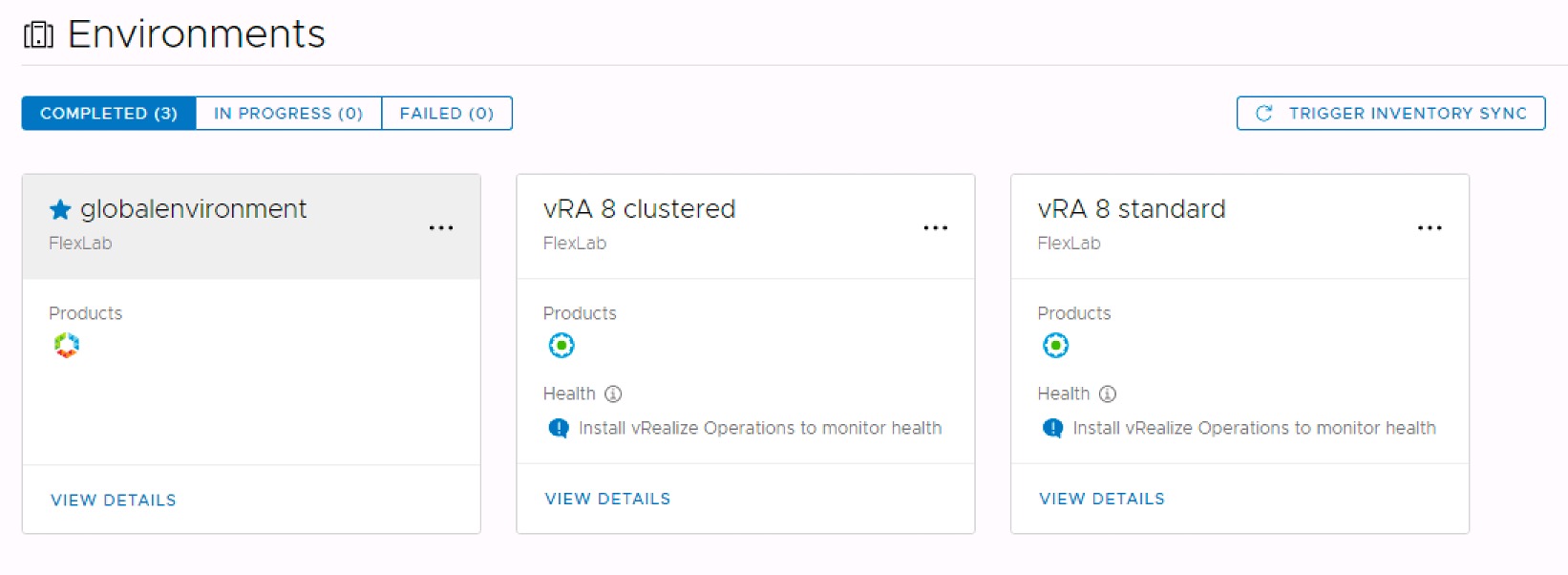
First I deployed a vRA 8.1 standard environment and that went fine without any issues.
So, after that I was confident enough to deploy a vRA 8.1 cluster. Unfortunately my deployment failed. The corresponding error I found in /var/log/deploy.log was the following:
Identity Service health check failed. If load-balancer is deployed, make sure it is properly configured.Before vRA 8.1, I always used ‘Persistence’ Source IP and ‘type’ SSL Passthrough for the Application Profile of the vRA Load Balancer. Also there was no proper information available on how to configure the LB for vIDM.
Last week I found an updated document on how to configure your Load Balancer for vRA 8.1. Surprisingly the applied Load Balancer configuration was slightly changed and the Load Balancer configuration for vIDM was added.
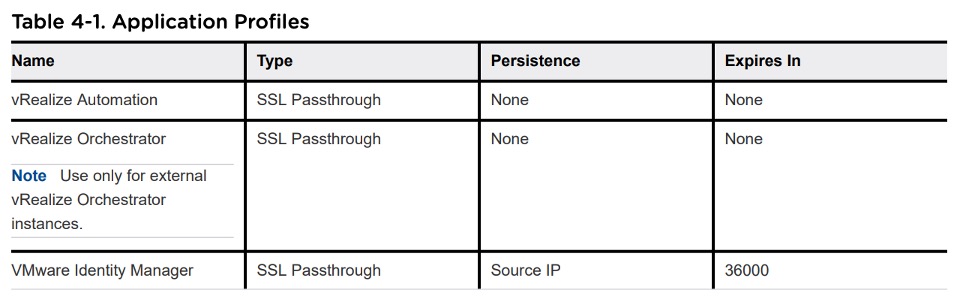
Now with vRA 8.1 the ‘Persistence’ has been changed to None, the ‘type’ SSL Passthrough has not been changed and the ‘Expires in’ value has been changed to None for the Application Profile of the vRA Load Balancer.
For the vIDM Load Balancer the ‘Persistence’ should now been set to Source IP, the ‘type’ should now be SSL Passthrough and the value for ‘Expires in’ should be set to 36000.
https://docs.vmware.com/en/vRealize-Automation/8.1/vrealize-automation-load-balancing-guide.pdf
After I changed the Load Balancer configuration for vIDM and vRA my deployment succeeded. 🥳🤩😎
Finally I could enjoy my new vRA 8.1 cluster running with a vIDM 3.3.2 cluster.